CATALYST Version 3.2.0 introduces support for PhaseOne IIQ files through the new IIQCOMBINE algorithm. This powerful tool enables users to ingest Phase One IIQ data directly into the CATALYST platform, eliminating the need for third-party processing tools.
The IIQCOMBINE algorithm reads IIQ image files and provides the capability to stack and/or stitch imagery:
The output is a single PIX file that includes all input images and channels, with camera distortions corrected during the stacking or stitching process.
More information about the IIQCOMBINE algorithm is available in the CATALYST Professional Help documentation.
If you do not have access to your own Phase One imagery, sample data can be downloaded from Phase One’s website here: Geospatial Datasets - Phase One Geospatial Solutions
The following Python script demonstrates how to run the IIQCOMBINE algorithm to stack and stitch RGB (Left and Right) and NIR imagery. To perform this operation, you must provide calibration files for each sensor (Left, Right, and NIR), in Australis format, not the standard camera calibration XML used in other CATALYST algorithms.
# Import the iiqcombine algorithm from the CATALYST python library
from pci.iiqcombine import iiqcombine
import os
from pci.exceptions import PCIException

# Pathway to Left/Nadir/Primary camera calibration file
calrgb1 = r” …\YZ000042_Calib_LEFT.txt"

# Pathway to Right/Secondary camera calibration file
calrgb2 = r… \YZ000042_Calib_RIGHT.txt"

# Pathway to NIR camera calibration file
calnir = r…\MN010065-NIR-Calib2-AUS.txt"

# Operation to perform STACK , STITCH , BOTH , or AUTO
operation = "BOTH"

#Path to text file that will contain text line of [FOCAL LENGTH, CHIP SIZE WIDTH, CHIP SIZE HEIGHT]
cam_file = r"…\camera_cal.txt"

# Path to Primary input RGB files (left for stitched images)
path_to_left_files = r"…\PAS280\rgb"

# Path to Secondary input RGB files (right for stitched images - in this example, Left and right RGB images are in the same folder)
path_to_right_files = r"…\PAS280\rgb"

# Path to NIR files
path_to_nir_files = r"…\PAS280\nir"

# Path to output folder
path_to_output_files = r"…\PAS280\pix"
if not os.path.exists(path_to_output_files):
    os.makedirs(path_to_output_files)
with os.scandir(path_to_left_files) as inputFiles:
    for inputFile in inputFiles:
        if inputFile.is_file():
            filepath = inputFile.path
            if "L.IIQ" in filepath:
                filirgb1 = filepath
                filirgb2 = filepath.replace(path_to_left_files,
                                          path_to_right_files,1).replace("L.IIQ","R.IIQ",1)
                filinir = filepath.replace(path_to_left_files,
                                           path_to_nir_files,1).replace("ND",
                                                               "NIR").replace("L.IIQ",".IIQ",1)
                 filo = filepath.replace(path_to_left_files,
                                        path_to_output_files).replace("L.IIQ",".pix",1)
                if not os.path.exists(filo):
                    try:
                        camera_params = iiqcombine(filirgb1, filirgb2, filinir, calrgb1,
                                                   calrgb2, calnir, operation, filo)
                    except PCIException as e:
                        print('\n*** PCIException: {}'.format(e))
                    except Exception as e:
                        print('\n*** Exception: {}'.format(e))
                print(camera_params)
                cam = open(cam_file,"w")
                cam.write(f"{camera_params}")
cam.write('\n')The IIQCOMBINE process produces a combined PIX file containing all input imagery and channels. As the IIQCOMBINE algorithm corrects for camera distortions, the algorithm only returns the Focal Length, Chip Size Width, and Chip Size Height. These parameters can be used when ingesting the PIX files into OrthoEngine by using the CAMPARAM parameter of the GENAPMODEL algorithm or manually entering the information into the Camera Model window in OrthoEngine.
This output can be further processed in CATALYST OrthoEngine for:
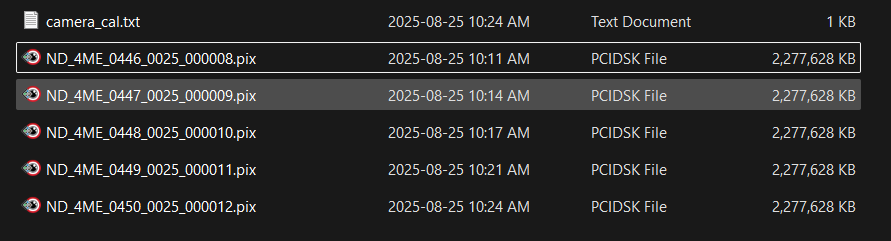
Once all of your Phase One IIQ images have been ingested, you can ingest and process the data in CATALYST OrthoEngine.
Additional tutorials can be found on our Tutorials webpage.
