
CATALYST Professional provides several algorithms to facilitate Coherent Change Detection. These algorithms include AUTOSHIFT, CCDINTEN, CCDPHASE, CCDWISH and CCDWM.
The Coherent Change Detection (CCD*) functions are a complete set of tools designed specifically for the detection and analysis of changes extracted from a user-specified test and reference SAR image pair. This includes the following functions:
AUTOSHIFT - Function to prepare data for Coherent Change Detection workflow. Allows a user to align a target image to a reference image.
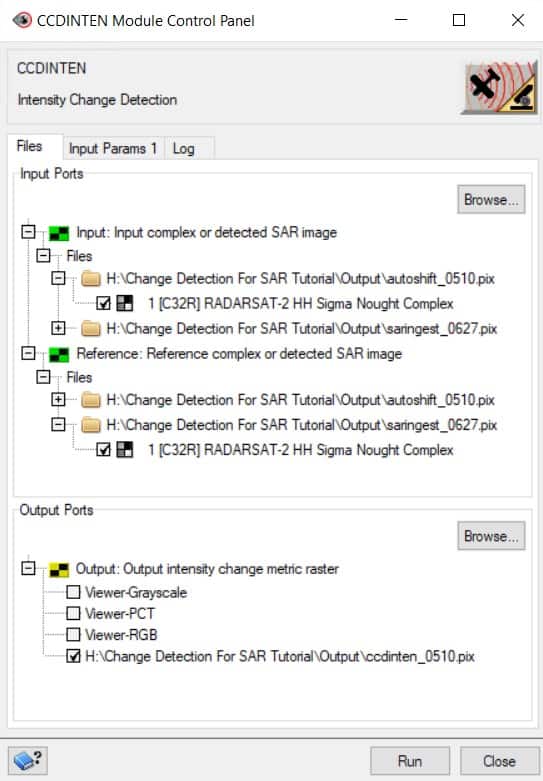
CCDINTEN - Measures the change in total radar backscattering between a test image and a reference image by comparing the sum of the intensities of the input channels.
CCDPHASE - Measures change based on the average coherence (over a specified window size) between two co-registered single look complex SAR images.
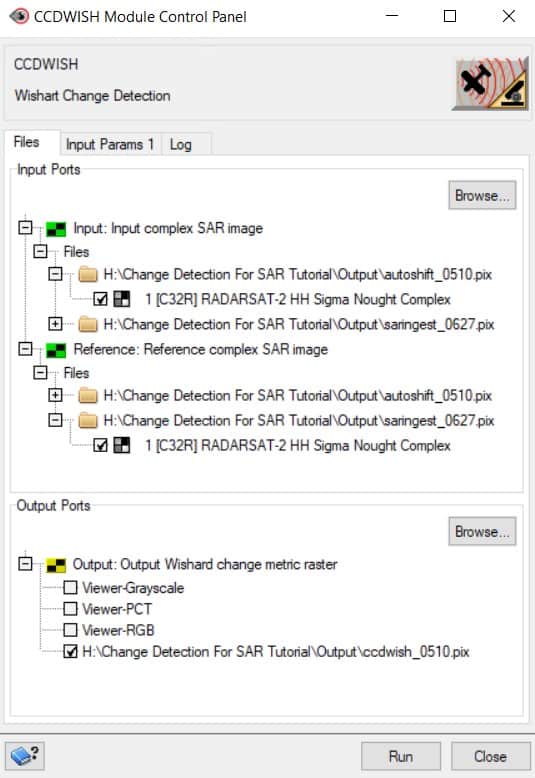
CCDWISH - Measures change between two single-look complex SAR images based on modified Wishart statistics.
CCDWM - Combines the results from multiple change detection techniques in a weighted manner.
This tutorial provides a user-friendly step-by-step guide to using the change detection algorithms for Synthetic Aperture Radar (SAR) data in the CATALYST Professional GUI and Python environments.
The SAR change detection workflow can be performed in CATALYST Professional's Focus with the help of the Algorithm Librarian. Although the CCDINTEN, CCDWISH, and CCDPHASE functions can be run here, the CCDWM is only available in EASI, Modeler and Python (shown in the tutorial).
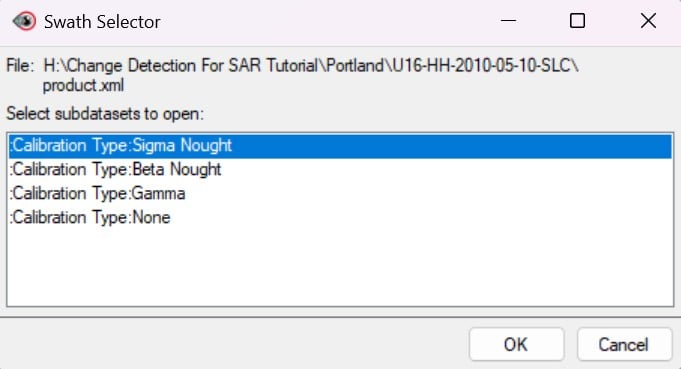
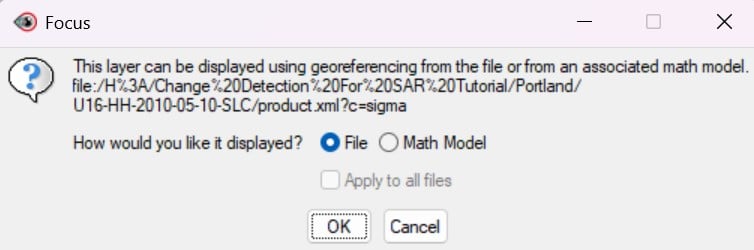
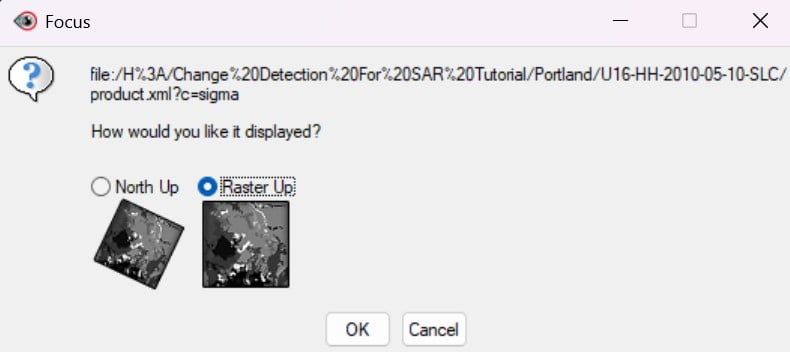
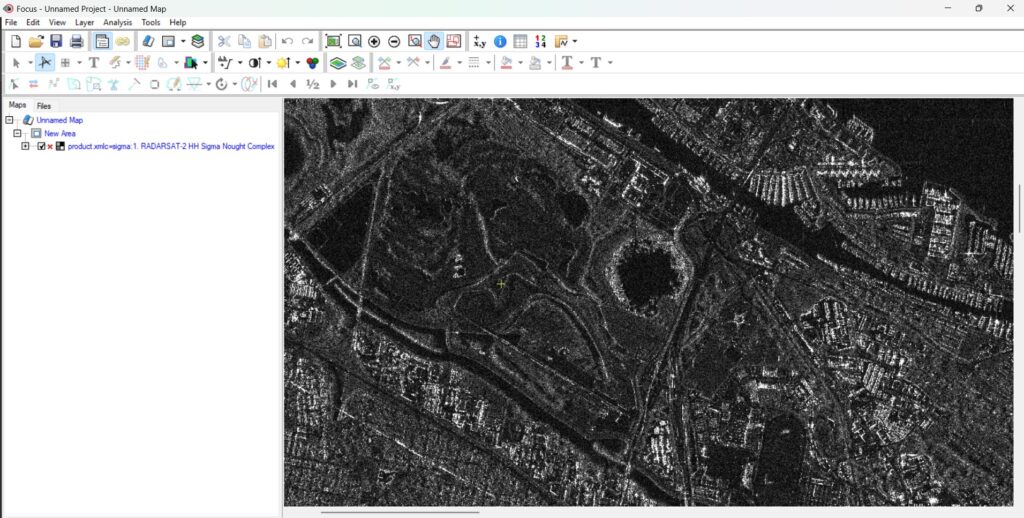
SARINGEST converts SAR imagery into a PCIDSK file, extracting the required metadata.
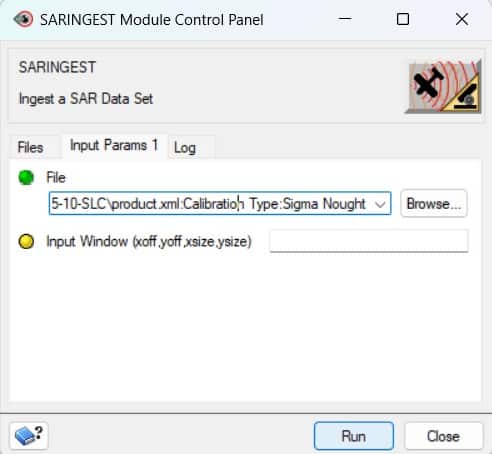
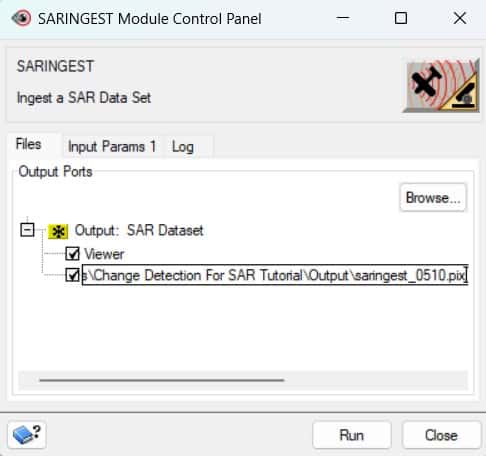
AUTOSHIFT is used to align the SAR images by modifying the extents of the working image (saringest_0510) to align with the reference image (saringest_0627). If AUTOSHIFT is not run, the co-registration is based on the geocoding provided by the vendor. On the other hand, if it is run, the comparison is based on “nearest neighbour” in the test file to the pixel of interest in the reference file.
AUTOSHIFT was developed to handle complex data and automatically compute a nominal offset for coherent data. It doesn't modify the image, only adjusts the geocoding information of the output file to optimize the registration. Essentially, the reference file and output file are identical except for the geocoding information. Co-registration of the images could also be improved by manually adding TPs or GCPs.
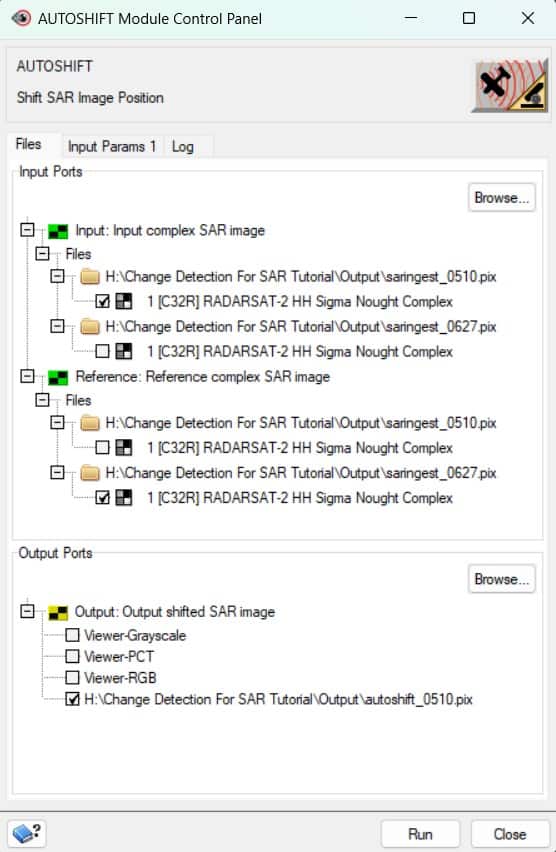
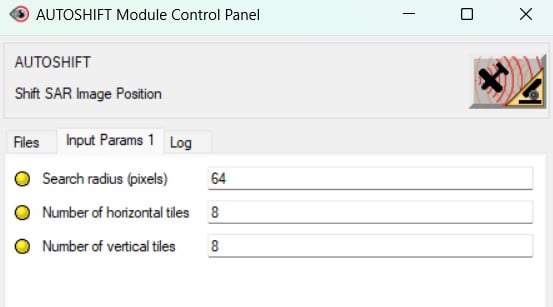
Once the SAR data is co-registered, there are three options for change detection
CCDINTEN, CCDWISH, and CCDPHASE.
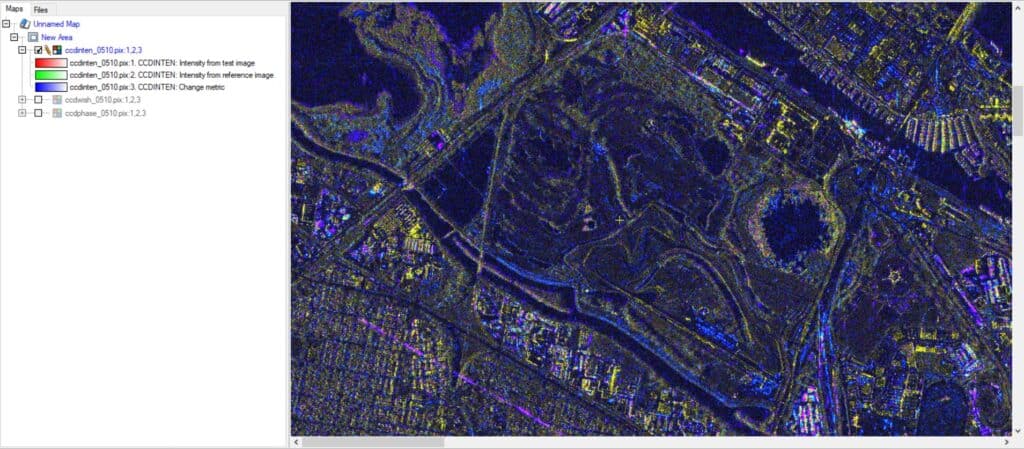
The CCD* output contains (real-valued) output channels.
CCDINTEN compares the sum of the intensities of the input channels to measure the change in total radar backscattering between a test image and a reference image.
When viewing the output in Focus, the scheme is as follows:
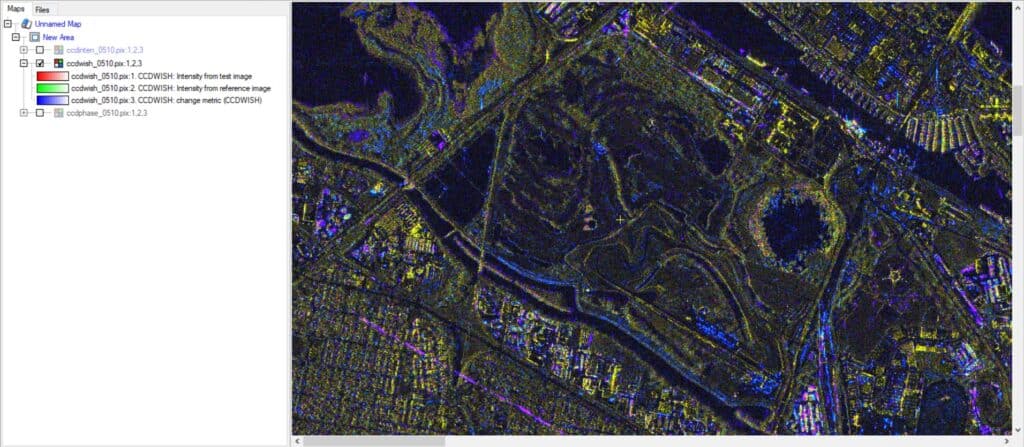
CCDWISH is used to measure the change between the SAR images based on modified Wishart statistics. Complex data (single, dual or quad) is required as input.
When viewing the output in Focus, the scheme is as follows:
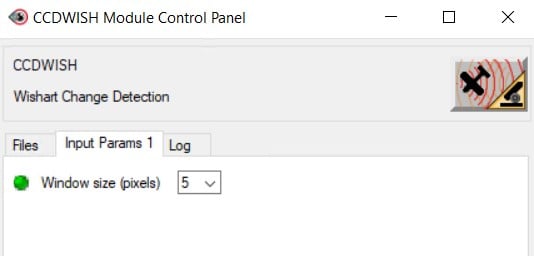
CCDPHASE measures change based on the average coherence between two co-registered images. Like with CCDWISH, complex data is required as input as well.
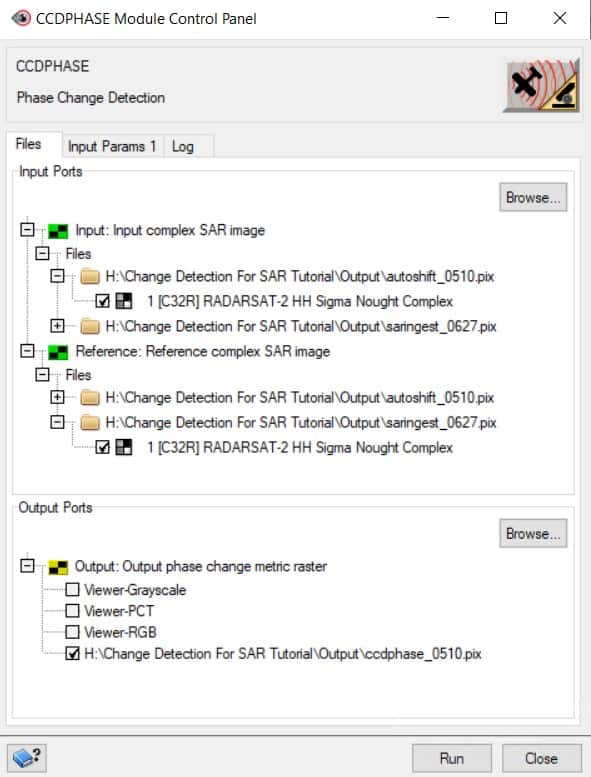
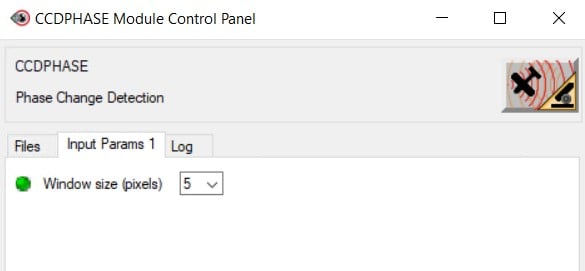
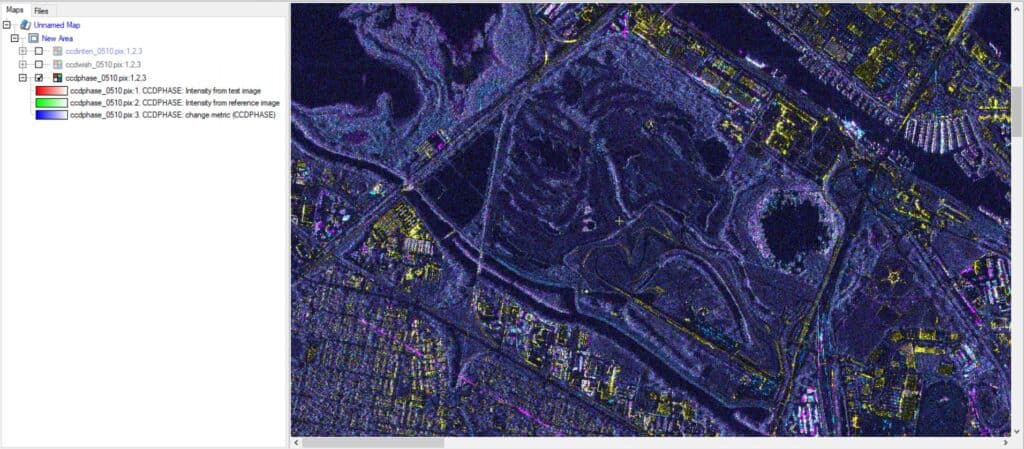
All of these Coherent Change Detection (CCD) modules can be used in Python. CCDWM can also be
used in Python as it permits the user to combine the results of the change detection algorithms by specifying several CCD output files and weights to provide a “weighted metric” for the channel of interest. This is usually Channel 4 = Ranked change metric. For example, suppose a pixel shows a significant change for all CCD algorithms. In that case, it will rank as more significant than a pixel which only ranks high in one metric but not the other two (e.g. high change in Intensity but small changes in Phase or Wishart would give a low change rank if weights = (1, 1, 1) and a higher rank if weights = (3, 1, 1) and very low if weights = (0.001, 10, 10).
Following the same workflow as with Focus, the scripts below can be used to perform change detection with SAR imagery.
from pci.saringest import saringest

# Ingesting the test file
fili = r"H:\Change Detection For SAR Tutorial\Portland\U16-HH-2010-05-10-SLC\product.xml"
filo = r"H:\Change Detection For SAR Tutorial\Output\saringest_0510.pix"
dbiw = []
poption = 'NEAR'
dblayout = 'BAND'
calibtyp = 'SIGMA'

saringest(fili, filo, dbiw, poption, dblayout, calibtyp)

# Ingesting the reference file
fili = r"H:\Change Detection For SAR Tutorial\Portland\U16-HH-2010-06-27-SLC\product.xml"
filo = r"H:\Change Detection For SAR Tutorial\Output\saringest_0627.pix"
dbiw = []
poption = 'NEAR'
dblayout = 'BAND'
calibtyp = 'SIGMA'

saringest(fili, filo, dbiw, poption, dblayout, calibtyp)from pci.autoshift import autoshift
fili = r"H:\Change Detection For SAR Tutorial\Output\saringest_0510.pix" # Input image to be shifted
filref = r"H:\Change Detection For SAR Tutorial\Output\saringest_0627.pix" # Reference image filename
dbic = [] # Uses all input image channels to compute the correlation
filo = r"H:\Change Detection For SAR Tutorial\Output\autoshift_0510.pix" # Output file name
searchr = [64]
numtiles = [8, 8] # Use 8 tiles in the X- and Y-directions
autoshift(fili, filref, dbic, filo, searchr, numtiles)from pci.ccdinten import ccdinten
fili = r"H:\Change Detection For SAR Tutorial\Output\autoshift_0510.pix" # Input image file name
filref = r"H:\Change Detection For SAR Tutorial\Output\saringest_0627.pix" # Reference image file name
dbic = [] # Uses all channels to detect change
filo = r"H:\Change Detection For SAR Tutorial\Output\ccdinten_0510.pix" # Output file name
winsize = [5] # Use a processing window of 5 by 5
ccdinten(fili, filref, dbic, filo, winsize)from pci.ccdwish import ccdwish
fili = r"H:\Change Detection For SAR Tutorial\Output\autoshift_0510.pix" # Input image file name
filref = r"H:\Change Detection For SAR Tutorial\Output\saringest_0627.pix" # Reference image file name
dbic = [] # Use all channels to detect change
filo = r"H:\Change Detection For SAR Tutorial\Output\ccdwish_0510.pix" # Output file name
winsize = [5] # Use a 5x5 a processing window
ccdwish(fili, filref, dbic, filo, winsize)from pci.ccdphase import ccdphase
fili = r"H:\Change Detection For SAR Tutorial\Output\autoshift_0510.pix" # Input image file name
filref = r"H:\Change Detection For SAR Tutorial\Output\saringest_0627.pix" # Reference image file name
dbic = [] # Uses all polarizations to detect change
filo = r"H:\Change Detection For SAR Tutorial\Output\ccphase_0510.pix" # Output file name
winsize = [] # Use default processing window of 5 by 5
ccdphase(fili, filref, dbic, filo, winsize)The MFILE used in the CCDWM algorithm can be a text file of the other CCD* algorithms, each on a new line, like in the script below. It can also be a specific file name pattern (e.g. "c:\data\*.pix") or all of the files in a folder (e.g. "c:\data")
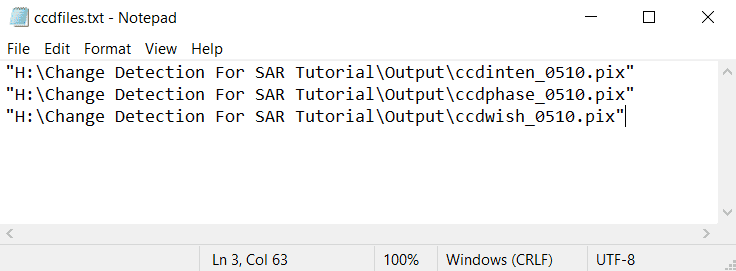
from pci.ccdwm import ccdwm

mfile = r"H:\Change Detection For SAR Tutorial\Output\ccdfiles.txt"    # Text file listing file names to process
weights = [2, 1, 1]        # Results from first file in MFILE will be weighted twice
dbic = [3]                 # Use channel 3 to compute weighted change
filo = r"H:\Change Detection For SAR Tutorial\Output\ccdwm_0510.pix"   # Output file name

ccdwm(mfile, weights, dbic, filo)