Your second task in the aerial-triangulation workflow is to ingest the imagery by converting it from its original format to a PCIDSK format. You use the Airphoto Ingest for AT module to import the aerial imagery and create a CATALYST Professional OrthoEngine project file, which contains the exterior orientation (EO), camera-calibration parameters, and map units of the EO.
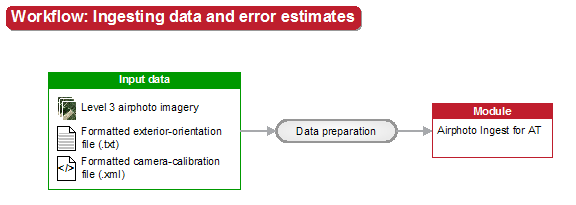
If necessary, you can provide x, y, z and o, p, k (omega, phi, kappa) error estimates. These estimates constrain the positioning and orientation values during aerial triangulation. The x, y, z error estimates are measured in the map units of the EO, and the o, p, and k error estimates are measured in degrees. By default, the error estimates are 0,0,0 which is equivalent to fixing the position and orientation. For information on determining appropriate position and orientation error estimates, see Determining error estimates for position and orientation.
The Airphoto Ingest for AT module also creates a flight-line report in the output folder. The report has two purposes: it summarizes the aerial imagery ingested, and it reveals any potential gross errors. If there are any gross errors, you can manually correct the EO in OrthoEngine.
Start by ingesting a small subset of the data set to examine the EO and determine the error estimates. After ingesting the imagery, you can perform a variety of quality-control (QC) tasks, as described in Table 1.
| To | See |
|---|---|
| Modify the position and orientation error estimates | Checking exterior orientation |
| Inspect the flight-line report to identify any potential gross errors | Airphoto Ingest for AT module |
| Inspect the direction of flight and arrangement of flight lines | Determining flight-line direction |
| Determine if the kappa values require adjustment | Determining kappa rotation (identify orientation issues) Airphoto Ingest for AT module (apply a kappa rotation) |
For more information, see: