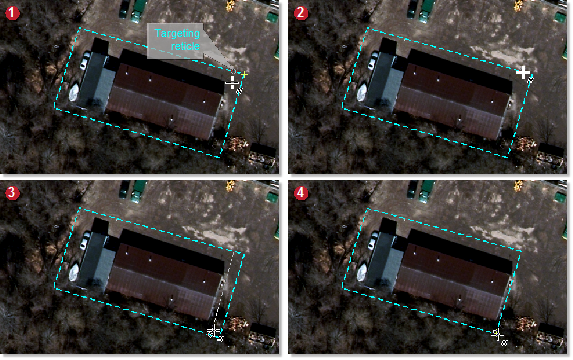
If necessary, you can reshape a GeoFill polygon. For example, if you draw a polygon, and then decide you want to make the polygon smaller, you can reshape it to reduce the size.
Figure 1. Reshape

To reshape a polygon
- On the GeoFill toolbar, click Reshape Polygon.
-
In the viewer, click the polygon you want to reshape.
That is, click the vector of the polygon at the location where you want to start the reshape. Notice that a targeting reticle appears when you point to the vector. The reticle is constrained to the vector to indicate where you can begin to reshape.
- Click the vector at the location where you want to end the reshape.
-
To complete the reshape, double-click.