In CATALYST Professional Focus, you can open the cutlines generated for the updated mosaic to inspect the quality of the update process and the amount of data that was included in the update.
To review updated cutlines in Focus
- Use the same Focus viewer as you used in Reviewing updated output mosaic tiles.
- On the File menu, click Open.
-
In the File Selector window, open the output MosaicUpdate\Cutlines folder, select all of the updated cutline files, and then click Open.
The following figure shows the updated sample mosaic with all of the updated cutlines.
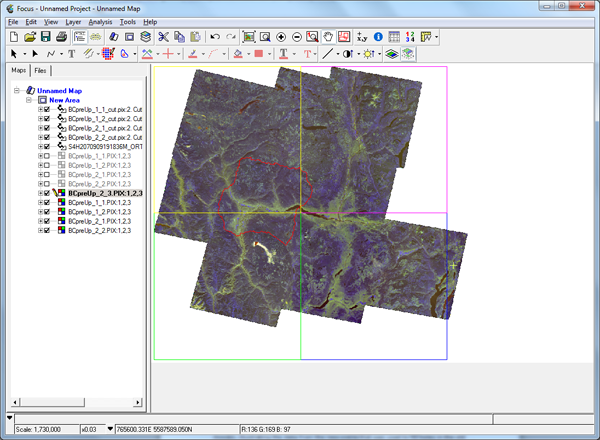
The only cutlines generated are those related to the tiles affected by the new scene, and the new scene itself. The cutlines for the new scene have various holes in them. These holes are related to cloud, haze, or shadow masks defined as a local vector segment in the new scene, and are omitted from the mosaicking process because they contain invalid data.
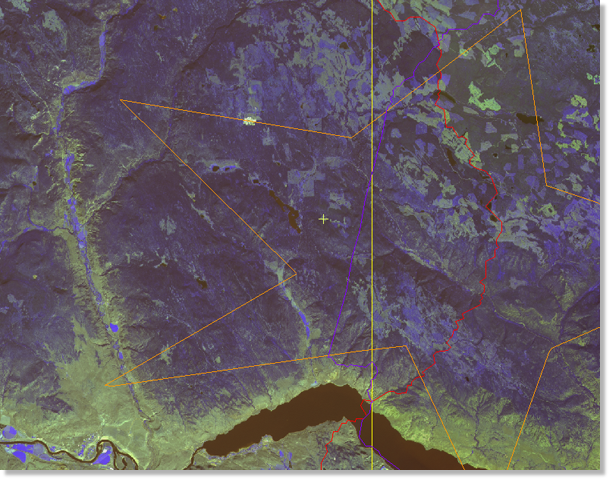
In the following figure, you can also see where the new cutlines overlap existing holes in the old mosaic, illustrating the data from the new scene that was used to fill holes in the old mosaic.