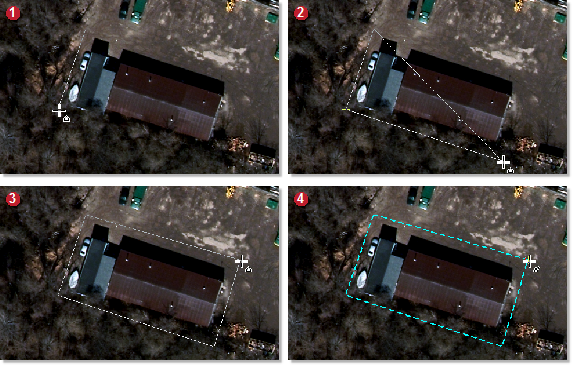
A polygon is a vector element you draw on top of the image around the area of interest (AOI): an area you want to repair. You draw a polygon by using a node-to-node selection technique where you click a starting node, and then progressively click to add each additional node to form the polygon you want according to the shape of the AOI.
Figure 1. New GeoFill Polygon

To draw a polygon
- On the Mosaic GeoFill toolbar, click New GeoFill Polygon.
-
In the viewer, click to start drawing the polygon, click to add each node, and then to close the polygon, double-click.
The polygon will close from the last selection node to the first.