By default, new Maps have a paper size of 215.9 x 279.4 millimetres (8.5 x 11 inches). You can change the paper size to several standard sizes in the Map Properties window. You can also set a custom paper size by dragging the Map handles in the view pane.
- On the ViewMap toolbar, click the Map View button.
- In the Maps tree, select a Map.
-
In the view pane, drag a resize handle.
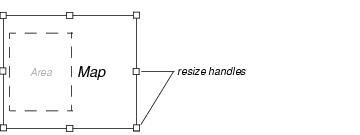
Drag a map handle in the view pane to resize a map sheet.