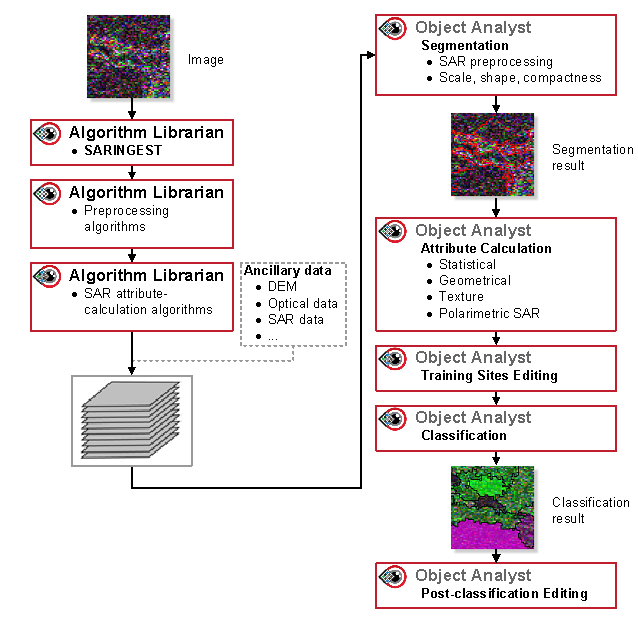
If necessary, you can manually preprocess SAR imagery.
Scenario 3 offers more flexibility than scenarios 1 and 2 in that you have greater control over the types of preprocessing you want to do, such as data conversion (complex-to-real data), speckle filtering, noise reduction, data scaling, and so forth. You can also combine ancillary data with the SAR imagery for Segmentation.
Tips on achieving suitable segmentation
- Categorical data, such as classifications.
- Too many layers; typically, 10 or fewer is suitable, but you can vary the number, as necessary.
- Layers with extreme dissimilarity in dynamic range.
- Layers with a significant number of outliers.
- Layers that differ in bit depth (8U, 16U, 16S, 32R).
Note: Complex layers are supported only with unprocessed SAR imagery that has the proper metadata tag (s1c, s2c, s4c).
Before you run Segmentation, you must merge all layers to a single PCIDSK file. You can do so in Focus by running a data merge or by running the DATAMERGE algorithm. After segmentation, you can either use the same layers, additional layers, or both, as necessary, when calculating statistical attributes during Attribute Calculation.
The following figure shows the workflow of manually preprocessing the same SAR image or additional images for Segmentation and Attribute Calculation.