You can preview and edit the updated mosaic by using Mosaic Tool to view the new source-image list (SLC) file and make changes to the cutlines, color balancing, scene order, and normalization.
To view and edit the updated mosaic preview in Mosaic Tool
- On the File menu, click Open.
- In the folder containing the output SLC file (mosaic_update.xml) created by the Mosaic Update Preparation module, select the file, and then click Open.
-
Make changes to the color balancing or mosaic cutlines, as necessary.
In the following figure, you can see that some of the holes from the original mosaic have been filled using data from the new images.
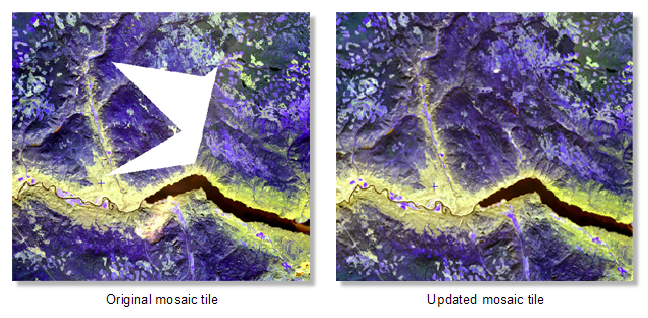
The Mosaic Update Preparation module also updates regions of the mosaic where there are no holes. The module is designed to update a mosaic with new imagery and ensure that the transition from old to new information (new pixels) is seamless and blends in well with the existing mosaic data.
You can now use the output from this module to regenerate a new output mosaic, using the Mosaic Update Generation module.
For more information on Mosaic Tool, see the Mosaic Tool Help.