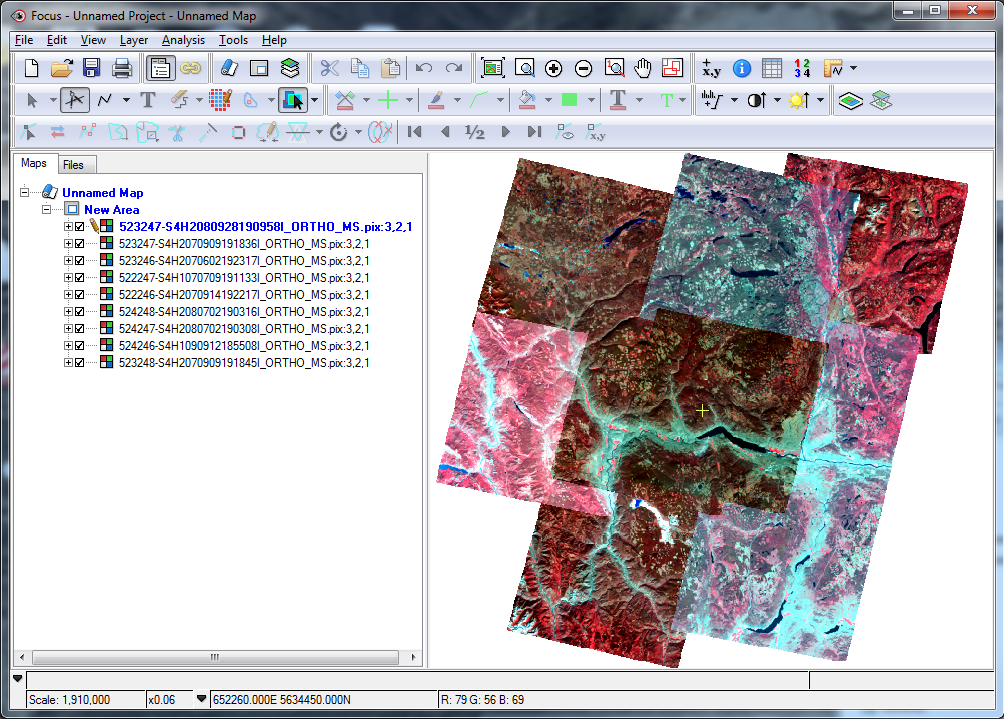
You can view your orthorectified images in CATALYST Professional Focus.
To view your orthorectified images
- Start Focus.
- Click the File menu, and then click Open.
-
Open the folder of orthorectified images created with the Orthorectification module.
This is the folder specified for the Output Folder parameter of the module.
The image files display in Focus.
- Set the No Data regions to transparent:
-
Click the Layer menu, and then click Layer Manager.
The Layer Manager window appears.
-
Scroll to display the Transparency Active column, and then click the top row.
A check mark displays in the corresponding box in the Transparency Active column.
-
Click OK.
The display changes, as shown in Figure 1.
Figure 1. Focus, showing transparency active