You verify the accuracy of your orthorectified images by assessing the relative and absolute alignment in CATALYST Professional Focus.
Relative alignment
Verify the relative alignment (the accuracy of one scene relative to an adjacent scene) of the orthorectified images by reviewing the overlap areas between two or more images and ensuring that overlapping features overlay well with each other.
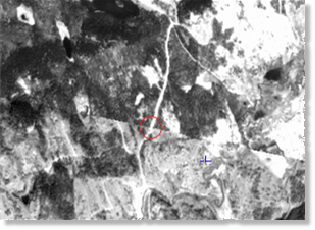
For example, Figure 1 shows a comparison of the overlap between two images within a specified window and clearly illustrates that features crossing the border between the two images align very well.
Absolute alignment
The absolute alignment of the ortho images determines how well the images in the project align with the Earth. To verify the absolute accuracy of the ortho images, compare the orthorectified images to the GCPs contained in the chip database used during the ingestion process.
The accuracy obtained depends on a number of factors, including the accuracy of the digital elevation model (DEM) and the reference data sources (chip database), and the viewing angle of the sensor.
To verify the absolute accuracy of orthorectified images
- In Focus, open one of the reference images used to collect GCPs during data ingestion.
- Select a random area in the imagery.
-
Toggle the layer to compare the orthorectified image with its reference image.
Use the Measure tool to measure the offset or displacement, if any exists.