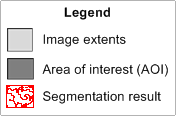
If necessary, you can constrain segmentation to a specific area of interest (AOI). You do so by selecting a vector file in PCIDSK format you have created that contains only polygons of the AOI you want.
In the following table, various scenarios of constraining segmentation to an AOI are discussed.
| Scenario | Description | AOI and segmentation result |
|---|---|---|
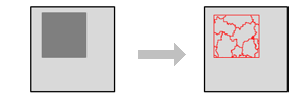
| Single AOI entirely within image bounds | A fundamental use of constraining segmentation to an AOI is when a single AOI occurs entirely within the image bounds. |
|
| Limited to image bounds | If parts of the AOI occur outside the image bounds, they are excluded from segmentation and no object or objects will be created over those areas. |
|
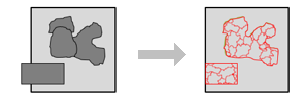
| With more than one polygon | You can also constrain segmentation to an AOI that consists of two or more adjacent or disjointed polygons (on the same layer). |
|
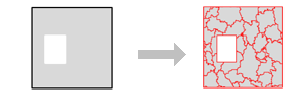
| Excluding NoData areas | Areas with no data within the image bounds are excluded from segmentation and no objects will be created over those areas. The image metadata must have the NoData metadata tag defined explicitly with the value of the pixels that are NoData. |
|
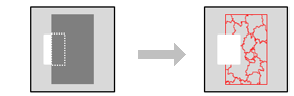
| Overlapping NoData and AOIs | When areas of NoData and an AOI overlap, the areas are excluded from segmentation. |
|